
VS Code alternative for running Claude Code and Codex sessions
VS Code has grown far past autocomplete. Its Agents window manages sessions across projects with Copilot, Claude and Codex as harnesses, sessions can work in their own worktree, and cloud sessions and automations are in preview. If you live in VS Code, it's a capable home for agents.
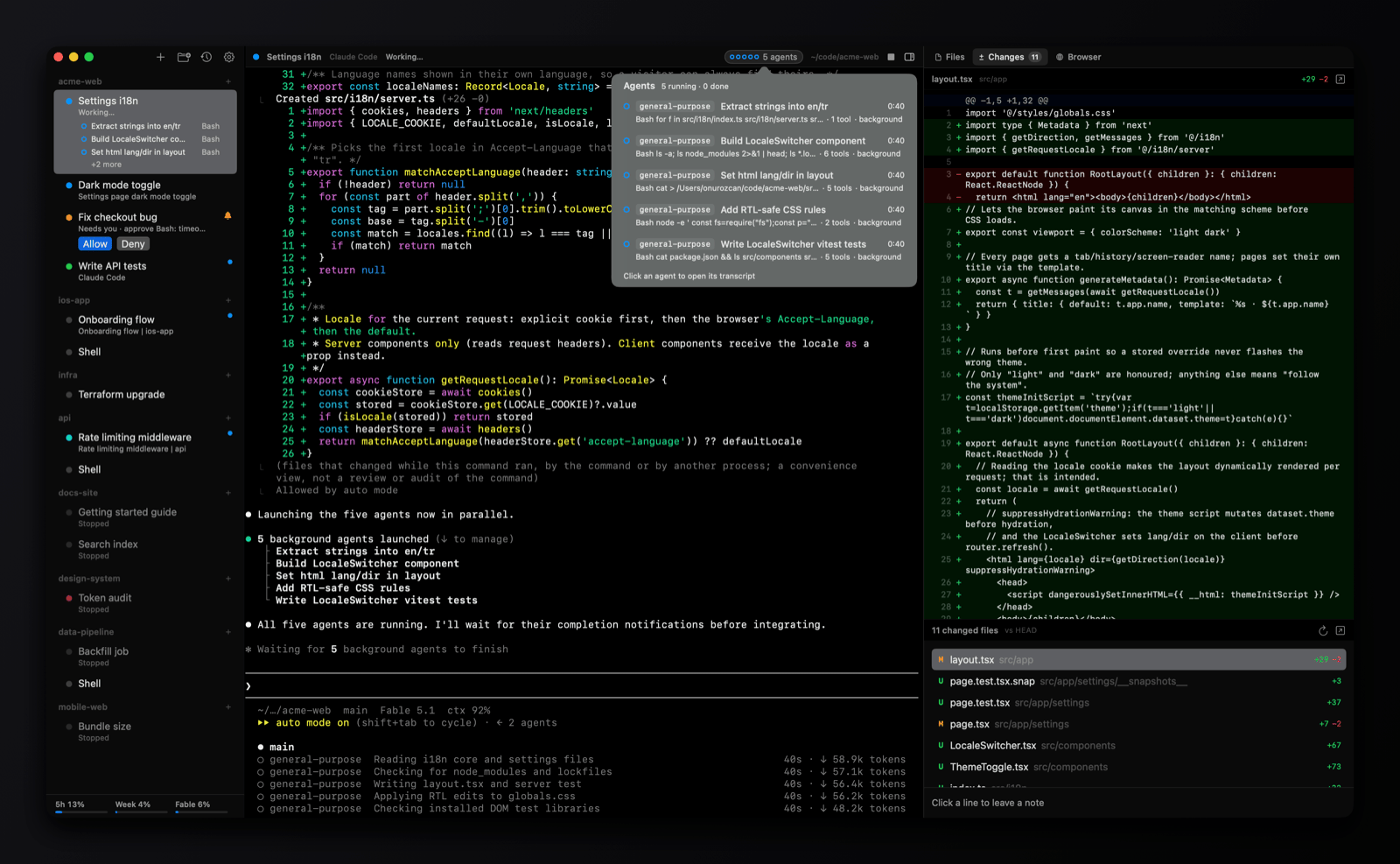
omux isn't an editor. It's a native window for the sessions themselves: the real Claude Code and Codex terminals, under projects in a sidebar, with status read from the agents' own signals and Allow and Deny one click away. This page is for people who run their agents in the terminal and want a better place to run many of them.
- 5 MBnative Swift app, no Electron
- 0accounts, credits or telemetry
- 6sessions side by side per project
- MITfree and open source
Where the agent lives
working needs you done
Side by side
| omux | VS Code | |
|---|---|---|
| What it is | A session manager for Claude Code and Codex | A code editor with agents built in |
| Runs on | macOS | macOS, Windows, Linux and the web |
| Agents | Claude Code and Codex, each in its own terminal | Copilot, Claude and Codex harnesses in the Agents window; the integrated terminal runs anything |
| Account | ✕ only your Claude or Codex login | GitHub account; a Copilot plan, a provider account or your own API key |
| Agent status | ✓ working, needs you, done, plus what it's doing, in the sidebar | ✓ a session list in the Agents window |
| Answer a permission prompt | Allow and Deny from the sidebar and header, without switching | Confirm in the chat or terminal |
| Subagents | Listed under the session with transcripts | Depends on the harness |
| Conversations after a restart | Each session resumes its exact conversation | Session history for Copilot sessions; terminal agents resume by hand |
| Worktrees and pull requests | One worktree per session, PR status, merge and clean up | ✓ a session can edit in a worktree; pull requests through GitHub |
| Cloud and scheduled agents | ✕ | ✓ cloud sessions and automations, in preview |
| Split panes | ✓ a canvas per project, up to six sessions | ✓ editor groups and terminal splits |
| Editing code | ✕ open files in your editor from the Files panel | Its whole purpose |
| Extensions | ✕ | Tens of thousands |
| Size and feel | About 5 MB, native Swift | Electron, a few hundred MB |
| Price and license | Free, MIT | Free, MIT for the open-source core; Copilot plans are paid |
See omux in 37 seconds
Pick VS Code if
- You edit in VS Code anyway and want agents next to your files, tests and debugger.
- You want Copilot, cloud sessions, automations, or agents on Windows and Linux.
- You lean on extensions for the rest of your workflow.
Pick omux if
- You run Claude Code and Codex as terminals and want to see which of eight sessions needs you without hunting through tabs.
- You'd rather click Allow in a sidebar than find the right chat or terminal.
- You want something small and native that stays out of the way of your editor.
What omux does for every session
- Projects with sessions under them, in a sidebar
- Shows whether each agent is working, needs you or is done
- Allow or Deny an agent's permission request without switching to it
- Lists a session's subagents and opens their transcripts
- Resumes each Claude Code and Codex conversation after a relaunch
- Git worktree per session, with pull request status and merge
- Files, Changes (diff with review notes) and Browser panels
- Claude and Codex plan usage limits in the sidebar
- Split panes: up to six sessions side by side per project, layouts saved
- An omux command line: list, status, send, new, close and wait on sessions
- macOS notifications with sound
Questions
Can I use omux with VS Code?
Yes. omux runs the agents; VS Code edits the files. The Files panel in omux opens any file in your default editor, and the Changes panel shows the diff without leaving the agent.
Does omux replace Copilot?
No. omux has no agent of its own and no completions. It hosts the Claude Code and Codex sessions you already have.
Why not run Claude Code in the VS Code terminal?
That works well for one or two sessions. omux is for when you have many: it shows each one's status from the agent's own signals, lists subagents, puts Allow and Deny in the sidebar, and brings every conversation back after a relaunch.
Also compared: Terminal alternative, tmux alternative, cmux alternative, Warp alternative, herdr alternative, T3 Code alternative, Cursor alternative, Antigravity alternative, Devin alternative. Facts about VS Code come from its public documentation as of 2026-11-02; if something is out of date, open an issue.