
herdr alternative with a native macOS interface
herdr is a terminal multiplexer made for coding agents: one Rust binary, a background server that keeps terminals alive, panes marked working, blocked or idle, and a socket API that lets agents spawn and wait on each other. It runs in whatever terminal you already use, on several machines at once.
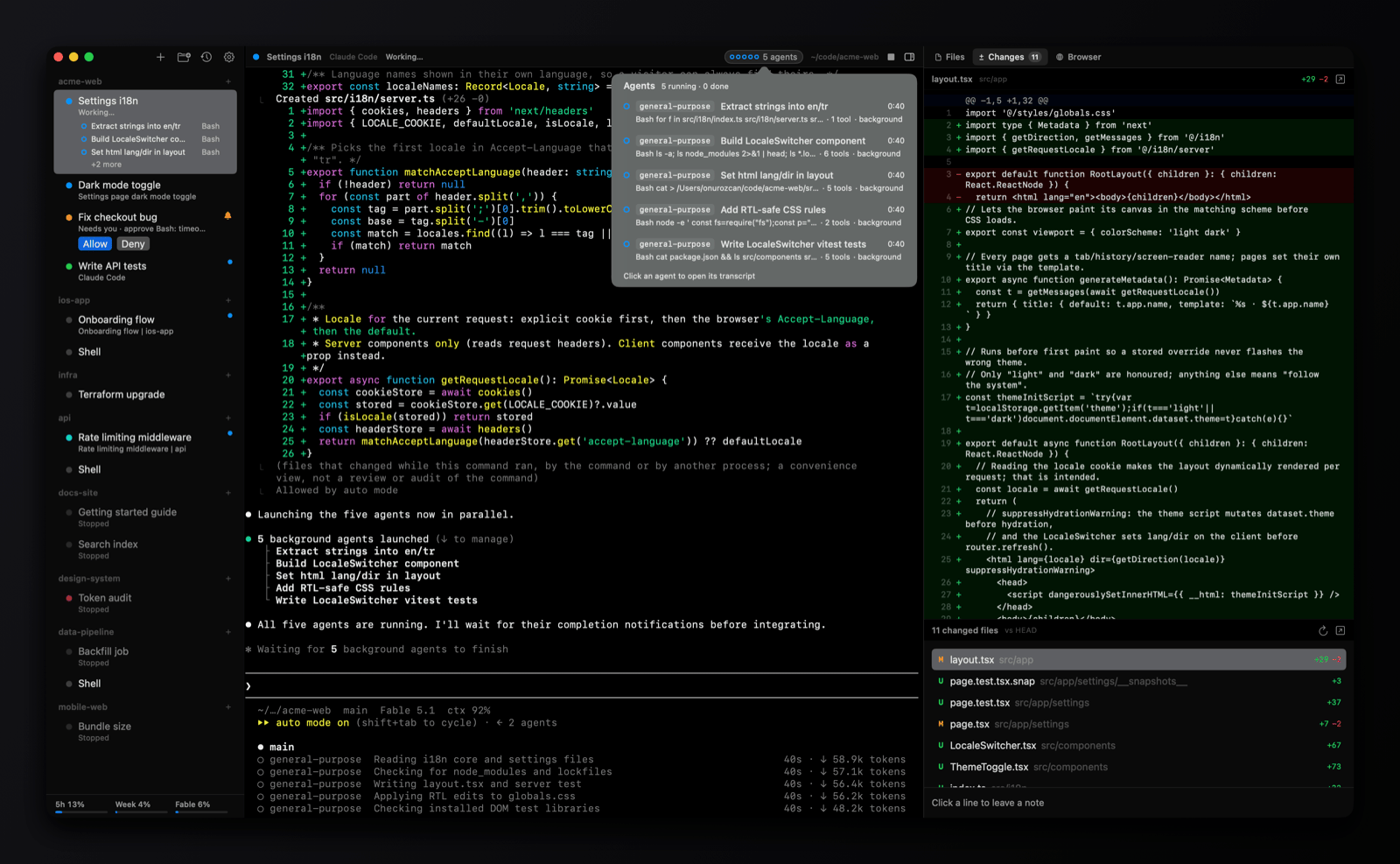
omux solves the same visibility problem with a window instead of a TUI. It's macOS only and has no server or API, but it shows status, permissions, subagents, diffs and pull requests for Claude Code and Codex sessions in a sidebar and panels you click. Which one fits depends on where your agents run and how you like to look at them.
Side by side
| omux | herdr | |
|---|---|---|
| Runs on | macOS, as a native app | macOS, Linux and Windows, inside any terminal |
| Interface | Sidebar, session header and side panels | Terminal UI with keyboard and mouse |
| Agents supported | Claude Code and Codex, with provider-specific integration; plain shells too | Claude Code, Codex, Cursor, OpenCode, Grok and others |
| Agent status | Working, needs you, done, plus what it's doing and its subagents | Working, blocked or idle per pane |
| Answer a permission prompt | Allow and Deny buttons without switching | Switch to the pane |
| Conversations after a restart | Each session resumes its exact conversation | Layouts restored; supported agent sessions resume |
| Detach and reattach | ✕ | ✓ terminals persist in a background server |
| Remote machines | ✕ | ✓ local and SSH machines in one list |
| Agents controlling the multiplexer | ✕ | ✓ CLI and socket API; agents can spawn panes and wait on each other |
| Git worktrees and pull requests | One worktree per session, PR status, merge and clean up | Not built in |
| Diff, files and browser | Built-in panels, review notes sent to the agent | Other tools |
| Usage limits | Claude and Codex plan limits in the sidebar | ✕ |
| License | MIT | Apache-2.0 |
Pick herdr if
- Your agents run on Linux or remote machines, or you need to detach and reattach.
- You want agents to orchestrate each other through an API.
- You run a mix of agent CLIs beyond Claude Code and Codex.
Pick omux if
- You work on a Mac and prefer a window with a sidebar, notifications and panels to a TUI.
- You want Allow and Deny buttons, subagent transcripts and the diff next to the session.
- You want worktrees and pull request status handled for you.
What omux does for every session
- Projects with sessions under them, in a sidebar
- Shows whether each agent is working, needs you or is done
- Allow or Deny an agent's permission request without switching to it
- Lists a session's subagents and opens their transcripts
- Resumes each Claude Code and Codex conversation after a relaunch
- Git worktree per session, with pull request status and merge
- Files, Changes (diff with review notes) and Browser panels
- Claude and Codex plan usage limits in the sidebar
- macOS notifications with sound
Questions
Can I run herdr inside omux?
Yes, in a plain shell session, though you'd then have two layers doing similar jobs. Use omux's own sessions for Claude Code and Codex to get its status and permission buttons.
Does omux work over SSH?
No. Sessions run locally. herdr is a better fit for remote machines.
Which has fewer moving parts?
omux: it's one app with no server and no API. herdr runs a background server so terminals outlive the client.
Also compared: Terminal alternative, tmux alternative, cmux alternative, Warp alternative. Facts about herdr come from its public documentation as of 2026-10-30; if something is out of date, open an issue.