
Terminal alternative for running Claude Code and Codex on your Mac
Terminal, and iTerm2 for many people, is where Claude Code and Codex run by default: a tab per session, and you cycle through them to see which one has stopped to ask something. It works until the third or fourth session.
omux keeps the terminal and changes the thing around it. Each session is still a real terminal, but it lives under a project in a sidebar that shows whether the agent is working, waiting on you or done, with Allow and Deny right there. This page sets out what you keep, what you gain and what you give up.
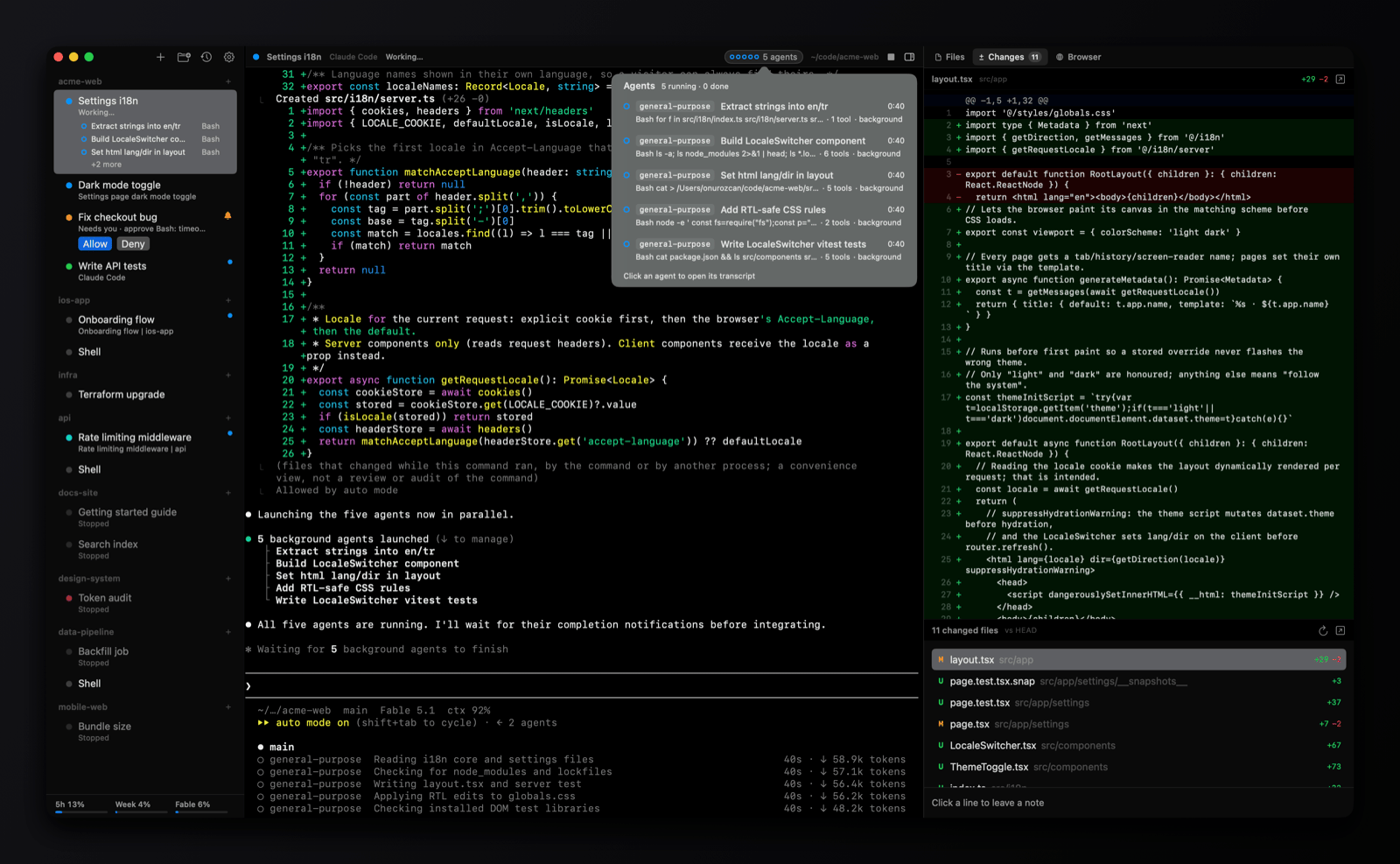
Side by side
| omux | Terminal | |
|---|---|---|
| What it is | A session manager for coding agents, with a terminal in each session | A general-purpose terminal |
| Runs on | macOS | Ships with macOS; iTerm2 is a free download |
| Knows what the agent is doing | ✓ working, needs you, done, read from the agents' own signals | ✕ a tab is a tab, and a bell at best |
| Answer a permission prompt | Allow and Deny buttons under the session, from anywhere | Find the tab and type |
| Subagents | Listed under the session, transcripts in the side panel | Not visible unless the agent prints them |
| Conversations after a relaunch | Each session resumes its exact Claude or Codex conversation | Reopen the tab and run claude --resume by hand |
| Git worktrees and pull requests | One worktree per session, PR status, merge and clean up | Manual |
| Diff, files and browser next to the agent | Built-in panels, with review notes sent to the agent | Other apps |
| Notifications | When a session you aren't looking at needs you, with a sound | Bell notifications only |
| Split panes, profiles, tmux integration | ✕ | ✓ especially in iTerm2 |
| Everyday shell work | A plain shell session works, but it's not the focus | Its whole purpose |
| Price and license | Free, MIT | Terminal is part of macOS; iTerm2 is free, GPL |
Pick Terminal if
- Most of your terminal time is ordinary shell work, not agents.
- You want split panes, profiles, triggers, or tmux integration.
- You're happy with one or two agent sessions and a tab for each.
Pick omux if
- You run several Claude Code or Codex sessions and want to see which one needs you without cycling tabs.
- You'd rather click Allow than hunt for the session that's asking.
- You want each session to come back after a relaunch, with its own worktree and its diff beside it.
What omux does for every session
- Projects with sessions under them, in a sidebar
- Shows whether each agent is working, needs you or is done
- Allow or Deny an agent's permission request without switching to it
- Lists a session's subagents and opens their transcripts
- Resumes each Claude Code and Codex conversation after a relaunch
- Git worktree per session, with pull request status and merge
- Files, Changes (diff with review notes) and Browser panels
- Claude and Codex plan usage limits in the sidebar
- macOS notifications with sound
Questions
Do I stop using Terminal or iTerm2?
No. Keep them for shell work. omux is for the sessions that run an agent; a plain shell session in omux is a normal login shell too, so you can do both in one window if you prefer.
Does omux use its own terminal engine?
It uses SwiftTerm, an open-source terminal emulator written in Swift. Claude Code and Codex render in it exactly as they do in Terminal.
Can omux import my Terminal or iTerm2 profile?
No. omux has its own themes and font settings in its preferences.
Also compared: tmux alternative, cmux alternative, Warp alternative, herdr alternative. Facts about Terminal come from its public documentation as of 2026-10-30; if something is out of date, open an issue.